
Summary
This block defines that a strategy is automatic (so it is played automatically on changes on Nodes or InfoSources). At least one active selection has to be selected inside to work. Or the strategy execution can also be forced by activating a regular execution via the property "TriggerMode".
Implementation
-
Drag and drop the block from the palette.
-
Link the "executed" topic to the "execute" action of the next block.
Example
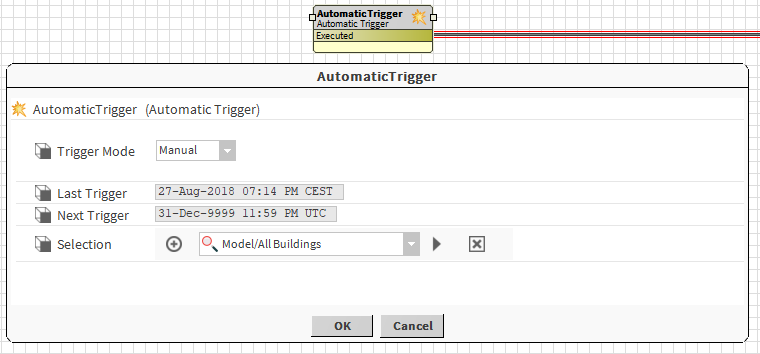
Properties
-
TriggerMode { Manual, Daily, Interval }: The way the trigger will be executed
-
Manual: will be triggered only by invoking the "fireTrigger" action
-
Daily: will be triggered every day
-
Interval: will be triggered at regular intervals
-
-
LastTrigger: Date of the last trigger
-
NextTrigger: Date of the next trigger
-
Selection: To select one or several origins for the automatic execution of the strategy
Actions
-
FireTrigger: To execute the trigger. It will, by default, execute the strategy on every selected element in a DO mode