
After each save, the NodeDrawer is reloaded to be in sync with the current station state.
Since the 47.3.0 version, saving the NodeDrawer with the virtualization won't reload it (for performance reasons), you will have to manually reload it
, it's possible to use a NodeDrawer on a remote Node. The PxFile and the sources will be fetched from the source station, and the zones will also be read, created and deleted in the source station.
Stations configurations
We will take a basic architecture based on two stations: a Supervisor and a Jace.
See to see how to configure two stations with the correct desired roles (The Jace will be the subordinate).
As for the model propagation, the virtual Node Drawer won't work for PEER stations
In our scenario, we want to display the virtual NodeDrawer on the Supervisor, showing a virtualized floor plan from a JACE.
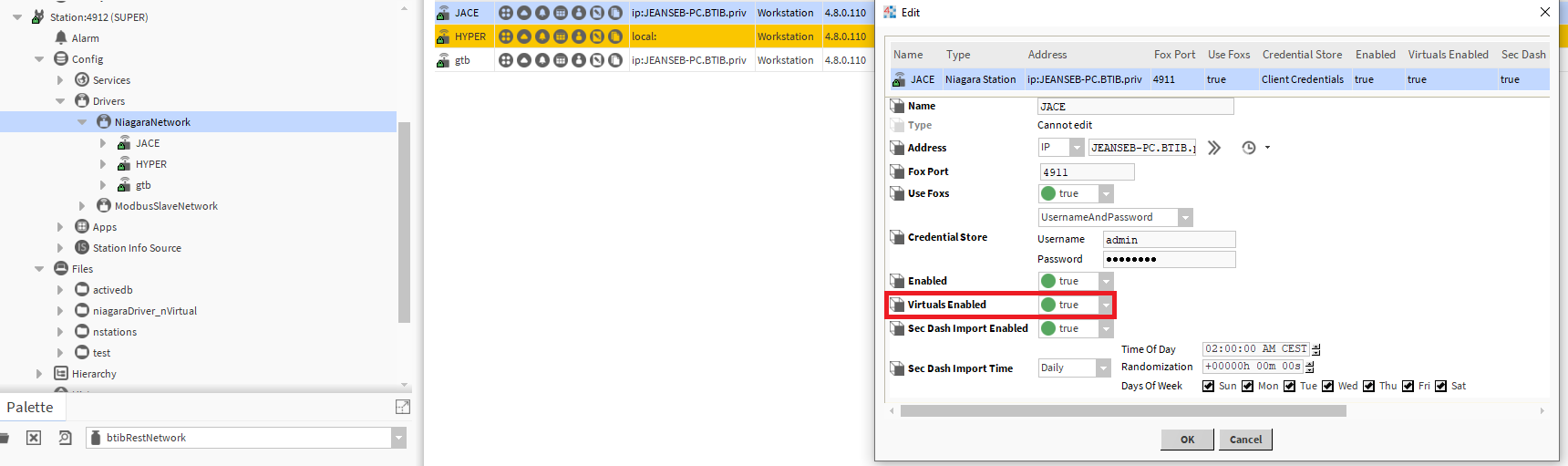
To make the virtual NodeDrawer working properly, you will also need to enable the virtuals. To do so, go in the Supervisor Niagara Network to the JACE Niagara station (not the opposite), edit the Niagara station and set "Virtuals Enabled" to true.
So we need to go in the Supervisor, select the Jace station and set "Virtuals Enabled" to true.
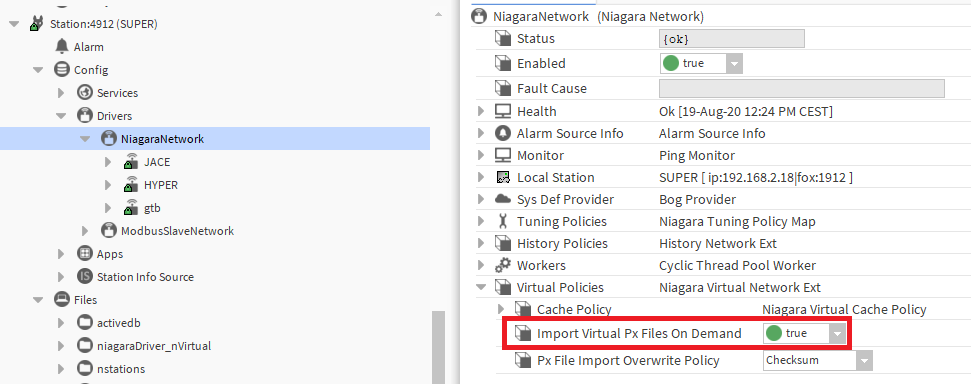
You will also need to enable the virtual Px File import. To do so, open the JACE Niagara Station in the Supervisor NIagaraNetwork then Virtual Policies and set "Import Virtual Px Files On Demand" to true.
Your stations are now ready.
Node Configuration
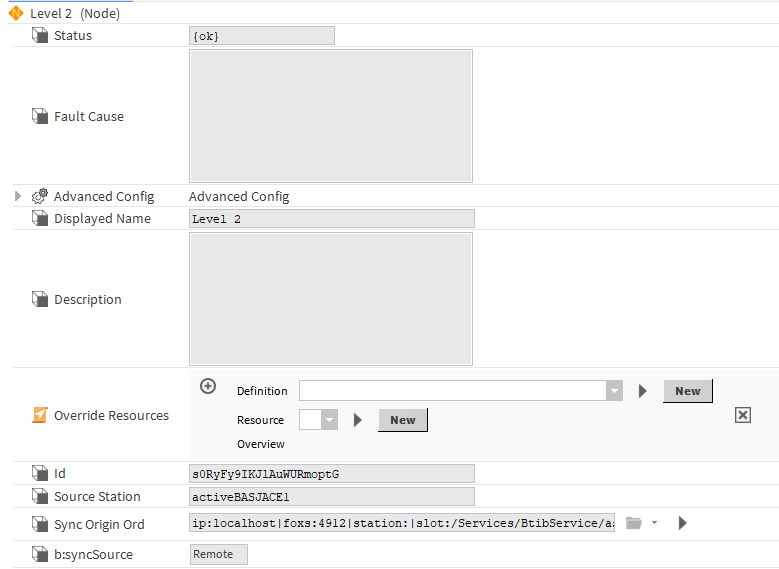
In our scenario the NodeDrawer will be used over Floor Nodes. So we make sure to propagate Nodes of the Floor NodeDefinition from the JACE to the Supervisor. That means the Node will have to be created on the JACE and be propagated to the Supervisor, so you have at the Supervisor level the ord of the twin Node in the JACE
Example in the Supervisor. This Node is a remote Node that was propagated from a JACE station:
If you did the opposite and propagated the Nodes from the Supervisor to the JACE, you can always use the "setAsLocal" action on the Nodes in the JACE. It will invert the syncSource and make the Supervisor Node a remote Node.
NodeDrawer Configuration
Once your Nodes are properly configured.
-
Drag and drop a NodeDrawer in your Supervisor Node (or use a strategy to do it automatically)
-
Drag and drop a NodeDrawer in your JACE Node (or use a strategy to do it automatically)
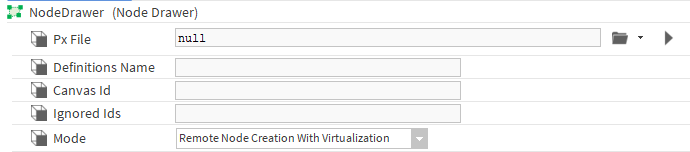
Now simply configure your NodeDrawer as usual, but set the Mode to "Remote Node Creation With Virtualization", refresh the tab (to display the new "RemotePxFile" slot) and instead of putting the ord to the PxFile in the "PxFile" slot, simply put it in the "RemotePxFile" slot. It should be the path in the JACE station (in our case), not on the supervisor as it's going to be this .px which will be virtualized and displayed in the background of the NodeDrawer.
For example:
If the NodeDrawer configuration in the JACE station is the following:
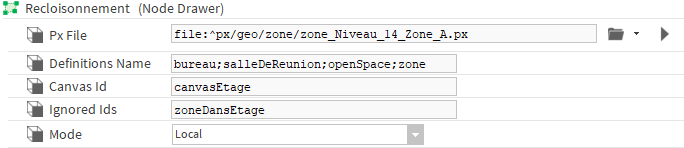
Just copy and paste the value in the virtual NodeDrawer in the correct slots:
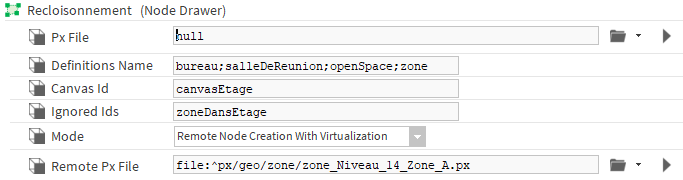
Trigger the "Process Remote" action. It will create a local pxFile and write the Ord to this pxFile in the "PxFile" slot.
You can now display the NodeDrawerVIew!