
Here's a check list of what's needed for the source propagation to work:
-
Have at least two stations which can ping each other, with a SUPERVISOR/SUBORDINATE role.
-
All stations must have their SourceDeviceExt enabled.
-
The source station's InfoSource must be configured with the correct SyncUp/SyncDown.
Use the Propagation Diagnostic to check that everything is correctly configured.
Triggers
In the 47.3 The Initialize, Disable and Clean action won't result in a propagation.
The Synchronize action will trigger a Propagation
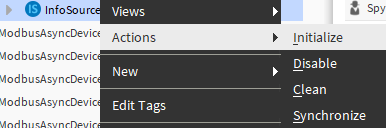
Changing the InfoSource advanced config will also trigger a synchronization:
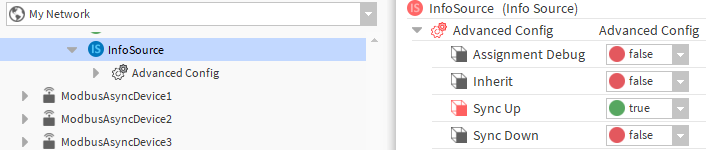
Setting the syncUp or syncDown to true will trigger a synchronization task.
Propagation Task
The Synchronize action creates or updates the targeted InfoRemoteSource and all its descendant infoRemoteSources. In the case of a synchronization on the whole station.
Now that your stations are configured, trigger an action on a correctly configured InfoSource and see the result in the target station.
Follow the propagation evolution
SourceSyncTask
You can see the evolution of a Propagation in the SourceSyncTask.
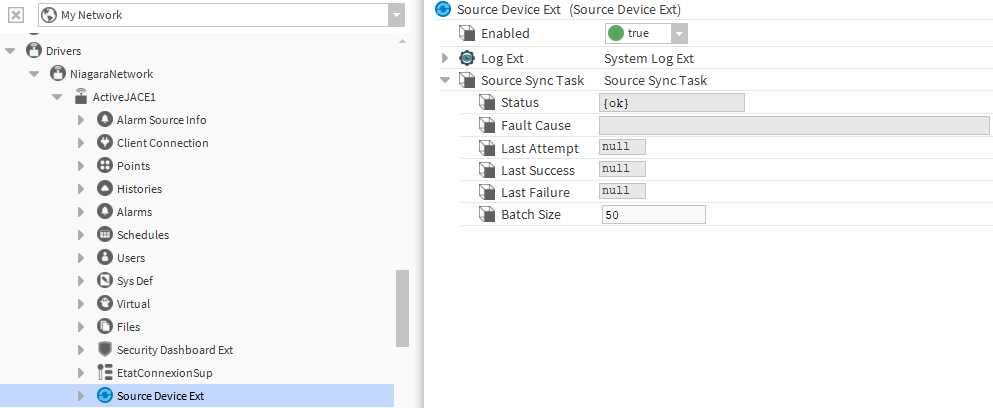
A brand new SourceSyncTask will have a null LastSucces, LastAttempt and NextExecuteTime value.
The easiest way to propagate a Source is to trigger the "Synchronize" Action in an InfoSource. The first observable modification will be the update of the LastAttempt slot:
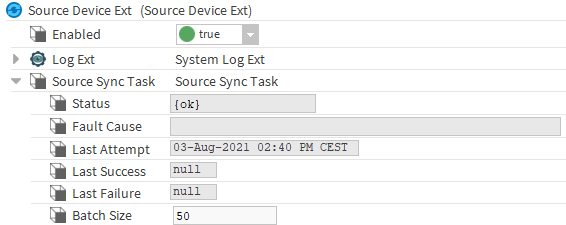
If the LastAttempt isn't updated, check your SOURCE station configuration.
There are two results to a propagation:
-
Success:
The LastSuccess slot is updated and in the target station, a copy of "NewNode" will be created in the Building DefinitionNode.
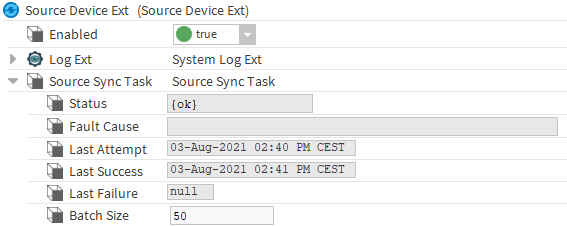
If the LastSucces is updated but no result can be seen in the target station, check your TARGET station configuration.
Sending a request to a JACE can be a bit slow. Wait for the LastSucces slot to update before checking for any result in the target station.
-
Failure:
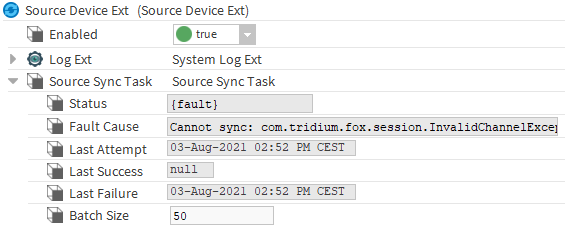
The Status, FaultCause and LastFailure are updated. Check the FaultCause for a better understanding of the failure. Here in the target station the propagation wasn't initialized.