
Summary
This block is used to attribute permissions to a role, e.g. to associate categories to a role. You can create categories with the AddCategory block and create roles with a simple block. To associate them together you will need this block.
Implementation
-
Drag and drop the block from the palette
-
Link the "execute" action from the "executed" topic of the previous block
Example
Categories are associated with a role through its "permissions" slot. You define for each category which rights are given: read, write or invoke at an operator and admin level.

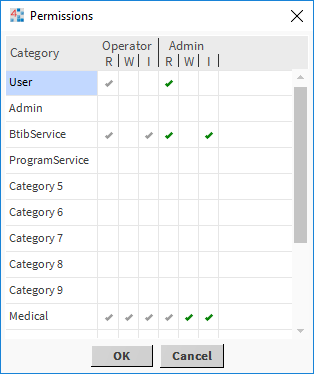
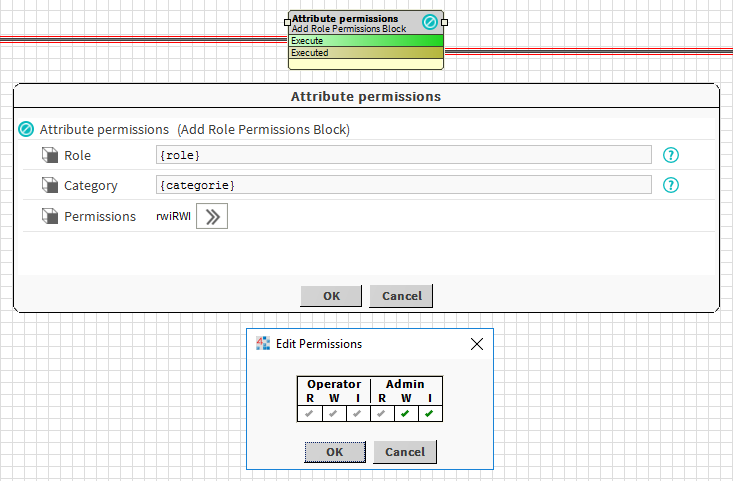
In this example, we use two artifacts from previous blocks to define the role and the category to associate together.
Properties
-
Category: to define the category (the component not its name) to associate to the role.
-
Permissions: Authorizations to grant to the role for the category. It can be read, write or invoke at an operator and admin level.
Behavior: DO
The category is assigned to the role.
Behavior: UNDO
The category is unassigned from the role