Description
The Enhanced Slider makes it easy to change a numerical value by dragging a slider.
It improves the design of the Tridium Slider in the browser and better supports the tactile environment for control of the slider from a smartphone or tablet.

Implementation
-
Drag and drop the widget from the palette into a Px.
-
Enter the SetPointBinding Ord to link to a Numeric Writable.
-
Choose a color for the cursor using the thumbBrush property.
-
View the result in the browser.
Properties
-
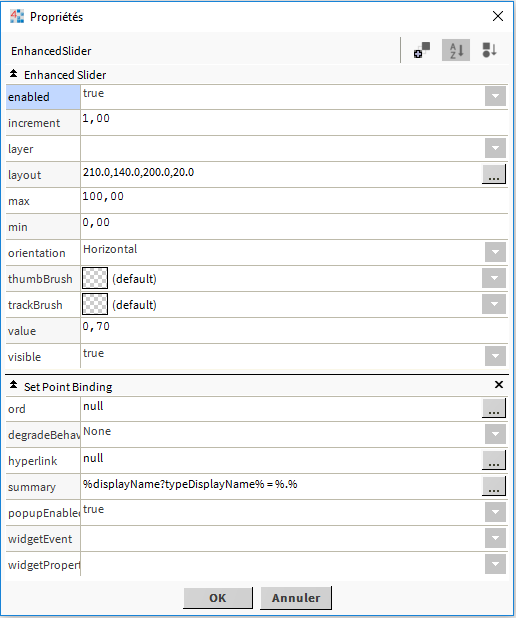
Increment: Specifies the incrementation step of the slider (by default 1).
-
Max: Enter the maximum numerical value representing the right or top end of the slider.
-
Min: Enter the minimum numeric value representing the left or lower end of the slider.
-
Orientation: Changes the orientation of the slider between horizontal and vertical.
-
ThumbBrush: Sets the color of the cursor.
Training
You can follow this e-learning course to practice