
Description
This is a button that can be added to a FlexView. This button display a modal that allows the user to create a new ticket.
Implementation
-
Add a new float Button to the FlexView
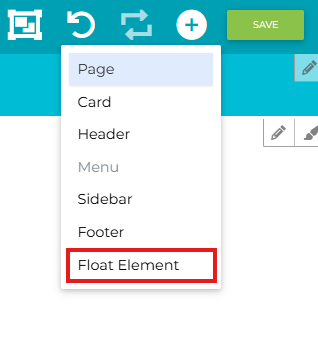
-
Fill the Flex Widget field with “btibTicketing@TicketButton”. By default the template name is “defaultTicketTemplate”. In v0 this field is read only.
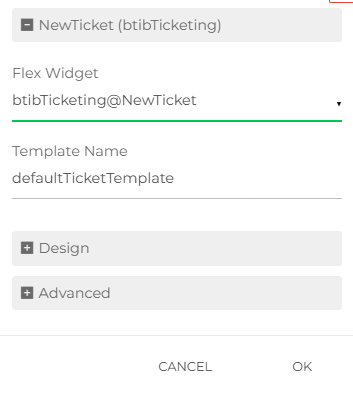
-
A new button appears at the bottom right of the view. When clicked, a modal will be displayed with the form to create a new ticket.
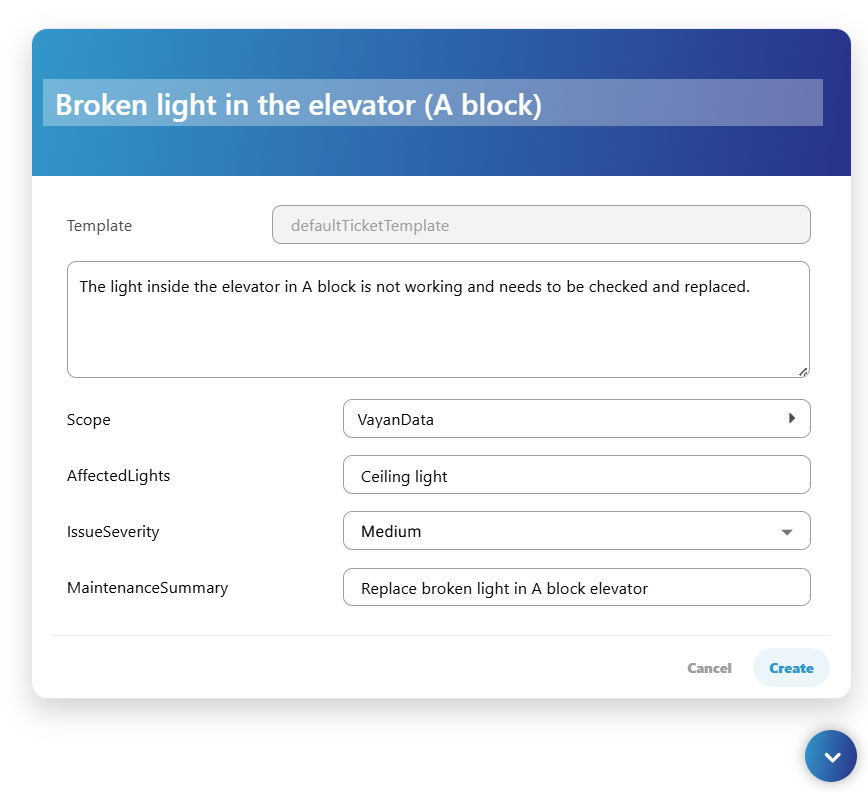
If the current user does not have the invoke permission on the TicketService, the button will appear but not clickable.
If the current user does not have at least the read permission, the button will not been displayed.
If the template is not synchronized, an error will be displayed and the form cannot be submitted.
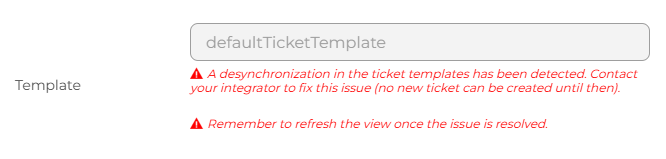
Properties
-
TemplateName: The template used to get the fields from. Read only in V0.