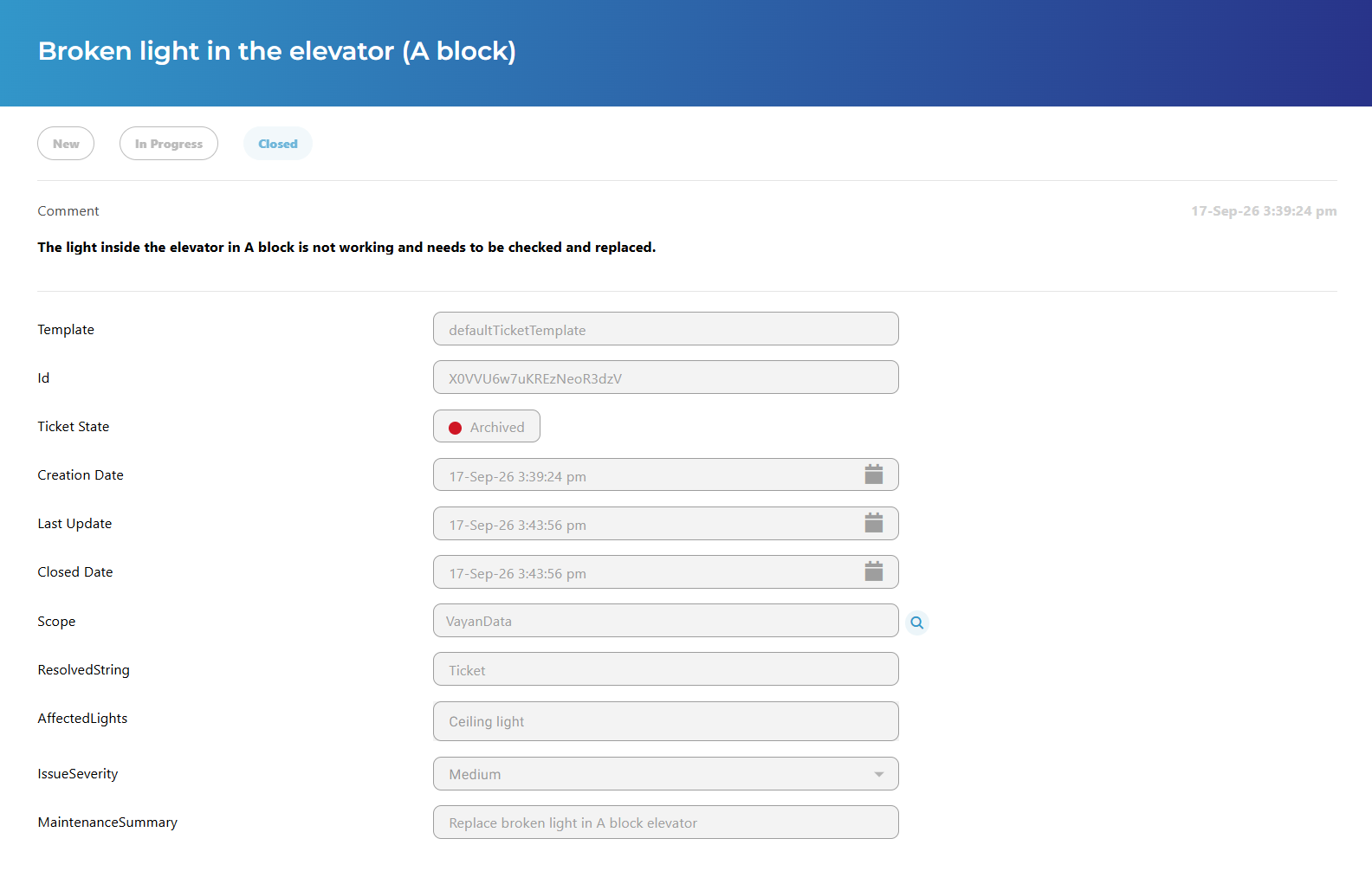
Description
This is a web agent added to the type “btibTicketing:Ticket”.
The view displays all the fields from the ticket.
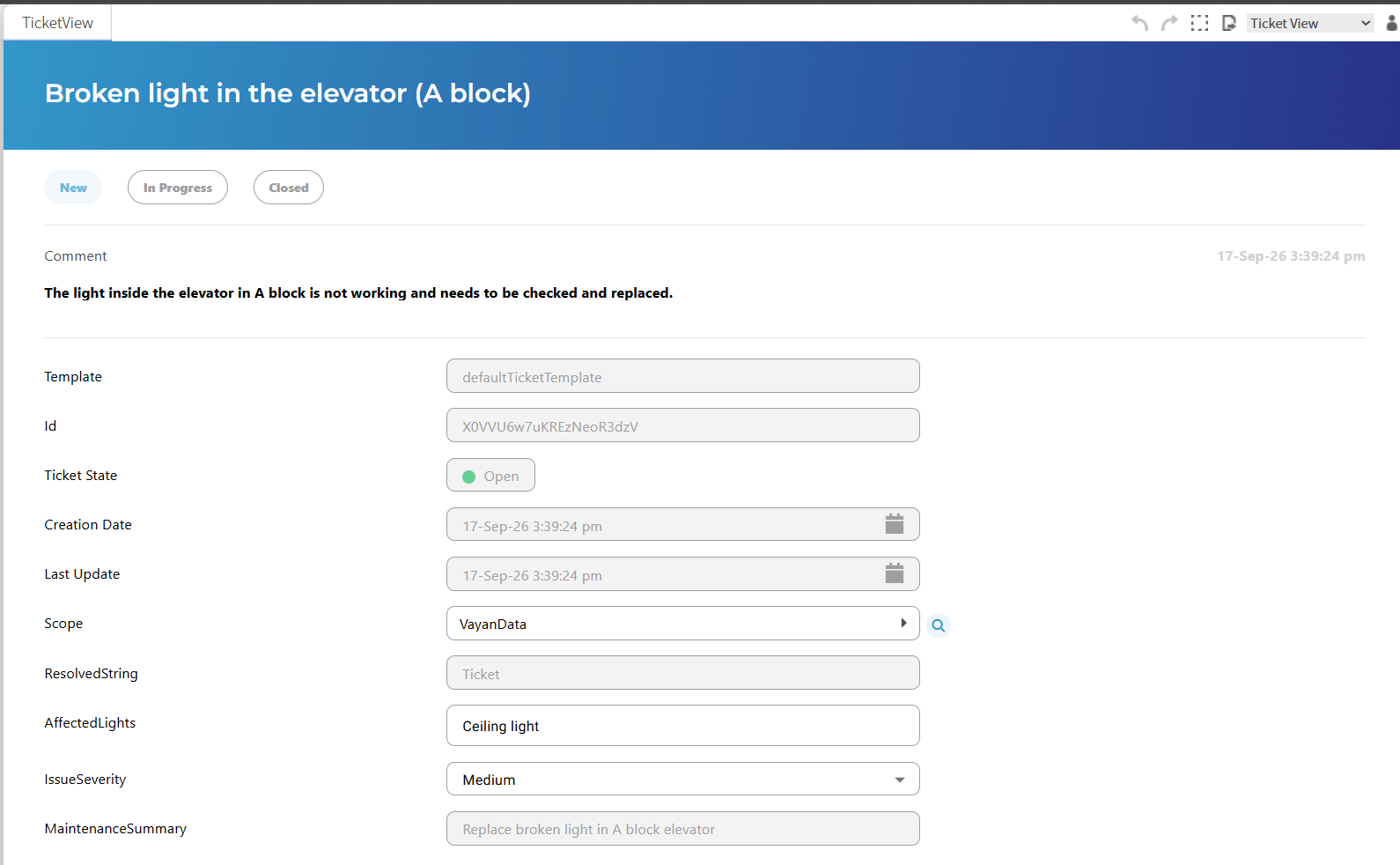
The ticket fields are writable if the user has the write permission on the ticketService.
See Ticket documentation for detailed information on rights.
When a field is modified, two buttons appears at the right of it

The check button needs to be clicked to save the modification.
To cancel the modification, click the cross button.
There is no global submit button to save all the modifications on the ticket, each modification needs to be saved.
See below for Status modification.
Title
The title part can be edited as a string value.
Like other fields, when edited, there is two button at the bottom right of the title, one to submit the change and one to cancel it.

Status
The status part is divided in two.
The first part displays the statuses allowed by the associated template and visible to the user according to their permissions.

Statuses for which the user does not have sufficient read permission are not displayed. However, the current status is always displayed, even if the user does not have read permission on its StatusValueDefinition.
Only statuses for which the user has sufficient invoke permission can be clicked.
When clicked, a new input is displayed to add a description to the new status.
At the bottom right, the submit and cancel buttons are displayed. If not validated, the status will not be modified.

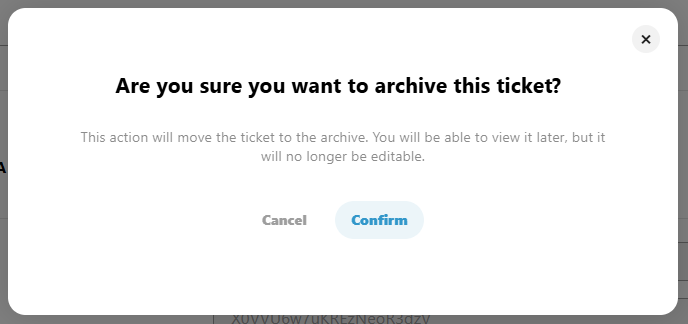
If the status will move the ticket from an open ticket to a closed ticket, a confirmation modal will be displayed to confirm it.
The second part is an history of status
At the top, the display name of the status. At the right side, the date of the status modification.
Under it the description associated to the status modification.

Fields
Under the status, there is all the fields of the ticket.
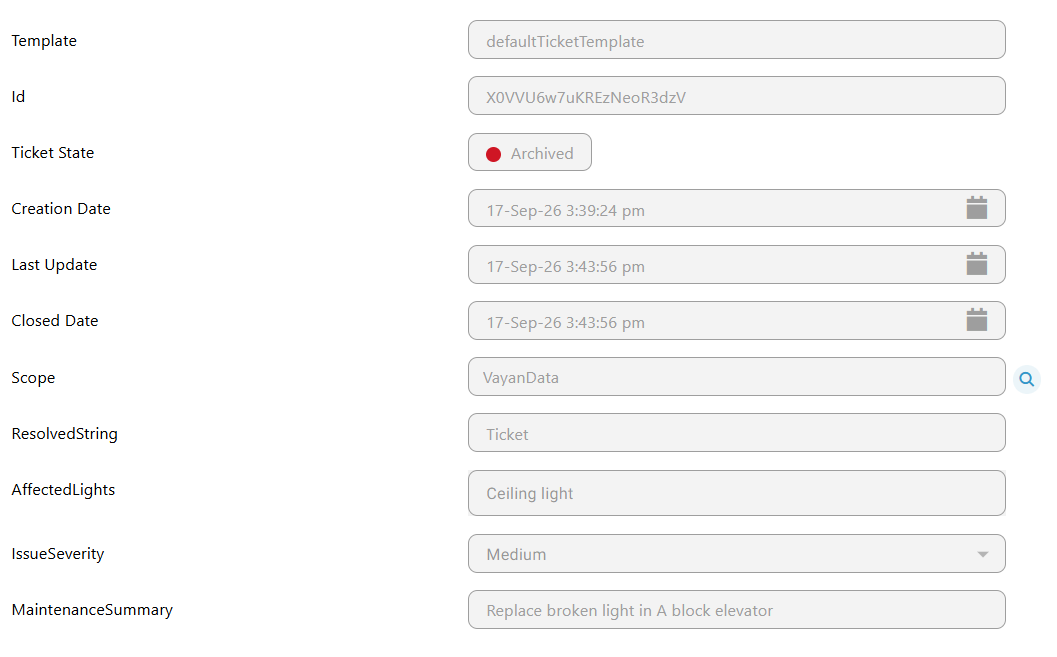
By order :
-
Template: the associated template of the ticket (read only).
-
Id: the id of the ticket (read only).
-
Ticket Status: the display name of the current status of the ticket (read only).
-
Ticket State: the state of the ticket Open/Closed (read only) depending on the status.
-
Creation Date: The Creation Date of the ticket in Linksper (read only)
-
Last Update: The last update of the ticket (read only). Changed when the ticket is modified.
-
Scope: The scope from the model, associated to the ticket.
All the fields that will appears after those fields are dynamic fields added by the user, to the template.
If the ticket is archived, all the fields are read only.