
It is possible to setup the edit mode in browser if the connected user has the admin rights.
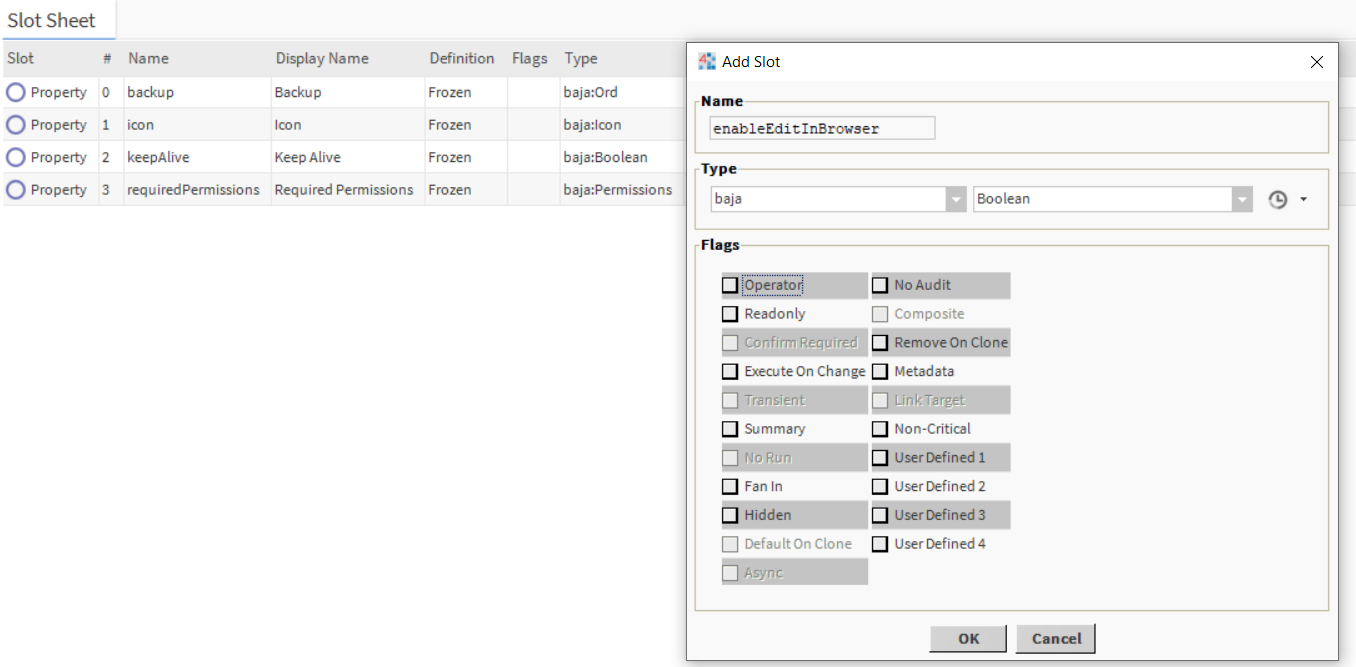
To do that, go the slot sheet of the flexView you want to add the edit mode in browser (the slot sheet is only viewable in the workstation).
Add a new slot of type baja:Boolean named enableEditInBrowser, and set it as true:
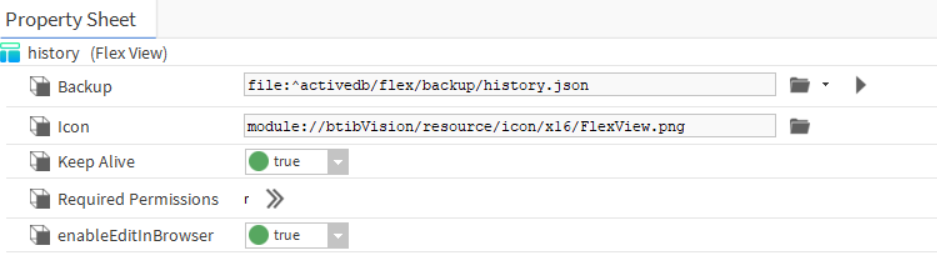
Then you should be able to display the edit mode in browser. If it doesn't show up, disconnect and reconnect from the browser.