
Some of the cards are using the ord selections in the BtibService, see Selection.
Before the version 51.1.3.0 of Active, only the handle of the Selections were saved for the FlexView.
In the newer versions, the handle and the slotPath of the Selection will be saved.
The Card will try to resolve the handle first, and the slotPath if the handle does not work.
What are the benefits ?
This change allows the copy/paste of FlewViews and backup between stations without breaking the Cards. The conditions is to have the same slotPath between the stations.
For example:
If the selection is LocalHistories in the localSelections folder, you will need to add a Selection with the same name and same path in the second station: station:|slot:/Services/BtibService/selection/localSelections/LocalHistories
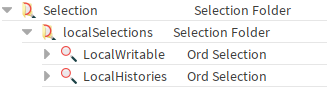
If the FlewView has cards configured with this Selection, it is possible to copy/paste a FlewView and its backup from a station to another.
What about existing old FlexViews ?
For the existing FlexViews, go to the edition mode.
When displaying a Card that use a Selection, you will see a toast
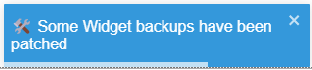
This toast tells you that the backup of the Card has been updated. You will need to save the FlexView to acknowledge the change.
What if I change the Selection name ?
If you rename your Selection, the card will try to resolve the handle first so there is no issue.
But since the name has been changed, you are no more able to copy/paste the FlexView into another Station.
For example, if you rename LocalHistories to MyLocalHistories from the above section.
You will need to edit the Cards that are using the Selection, see edit modal behind.
Submit the edit, it will change the slotPath. And just save the FlexView to acknowledge the change.
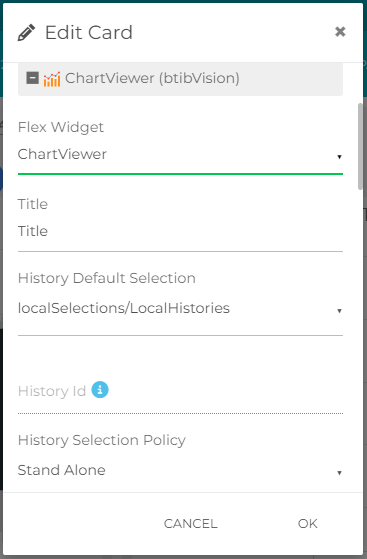
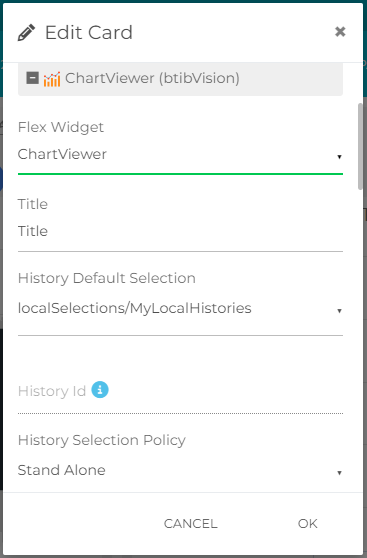
By doing this manipulation, you will be able to copy/paste this FlexView into another stations.