
Description
The ConfirmSaveButton allows you to request confirmation from the user during a save. A confirmation message is then displayed before the save is performed.
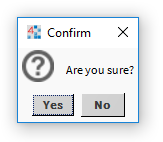
Workbench view:

When you click on the button:
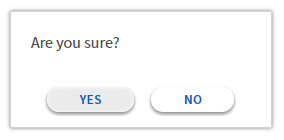
Hx view:

When you click on the button:
Implementation
-
Drag and drop the widget into a Px.
-
Write the button text in the TextOverride property.
-
Enable the confirmation request by setting the Confirmation property to true and indicating the message in the ConfirmationMessageOverride property.
Properties
-
Background: Button background.
-
Confirmation: Enables / disables the confirmation popup before saving. Requires the ConfirmationMessage property to be populated to work.
-
ConfirmationMessageOverride: Message to be displayed in the confirmation popup before saving. Confirmation must be enabled. If no message is indicated, the save is done without confirmation.
-
Refresh: Indicates whether the view should be refreshed after the save.
This property is not supported for Hx views, the view will update in all cases.
-
TextOverride: The button text can be edited.