
Summary
Custom credentions allows connection to a service by providing the request to get a token and the enhanced selector to extract the value from the response
Once fetched, the token is added to all the requests in the "Authorization" header. The value of the Authorization header will be the value of the token prefixed by "Bearer "
Implementation
Drag the authentication from the palette into the AuthenticationContainer of the Http Config.
Only one authentication per AuthenticationContainer is possible.
-
Fill the HttpConfig with all the required data to get the token
-
Set the Enhanced Selector value to extract the accessToken from the response
Properties
-
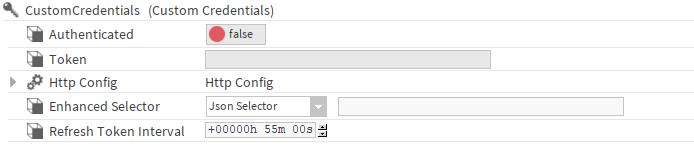
Authenticated: If true, indicates that an AccessToken has been successfully fetched.
-
Token: Displays the first ten letters of the token if a token was successfully fetched.
-
HttpConfig: HttpConfig which allows to send a request to get a token.
-
EnhancedSelector: Selector which will extract the accessToken from the response.
-
RefreshTokenInterval: Interval at which the token will be refreshed.