
Drag and drop a Node into another Node
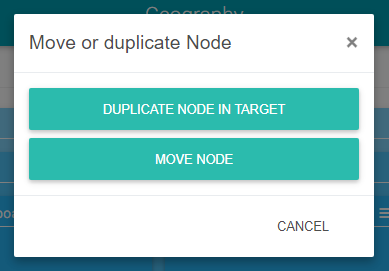
It is possible to drag and drop an existing Node into another Node. It works in the same way as when a NodeDefinition is dragged and dropped into a Node. There are two possible options:
-
Duplication of the Node: a copy is made with all its children.
-
Moving the Node: the Node and all its children are moved
The display name of the Node can be changed if a similar name already exists. Indeed, it is forbidden for two siblings to have the same name.
Using the Node action menu
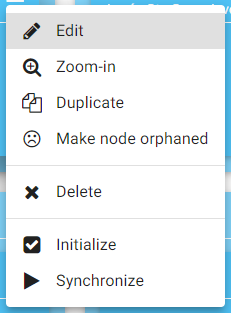
By clicking on the menu of each Node, it is possible to:
-
Edit the properties of the Node (opening of the right panel)
-
Zoom on a Node (same as clicking on the name of the Node)
-
Duplicate this Node in the same parent
-
Make the Node an orphan (detailed below)
-
Delete the Node
-
Initialize the Node in the station (only if the Node is saved in the station)
-
Synchronize the Node in the station (only if the Node is saved in the station)
Duplicate
When a Node is duplicated, all its children are also duplicated. A new name (displayName) is always given to the duplicated Node as sibling Nodes cannot share a name.
Remove
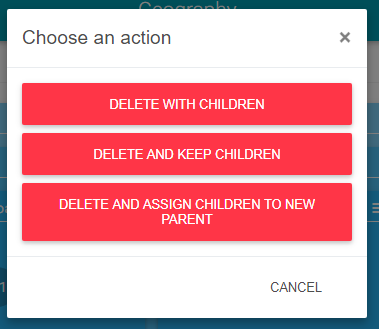
When a Node is deleted, if it contains child Nodes, there are 3 possibilities for the future of the children:
-
Remove all children equally
-
Remove and make the children orphans. They will then appear in the left panel (Orphan Nodes section) and can be dragged and dropped again into another Node.
-
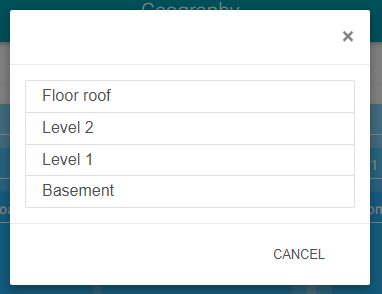
Assign the children to another parent Node provided there is a possible parent.
Making the Node an Orphan
The Node and all its children are directly added to the "Orphan Nodes" panel.