
There are various possibilities for selecting several Nodes within the same aspect. They are detailed below.
Rule #6: It is possible to select a Node for each different NodeDefinitions graph.
The different NodeDefinitions graphs are displayed in a different color in the AssignmentView. The selections of the different graphs are independent.
In the example below, the NodeDefinition Zone belongs to a different graph from the other NodeDefinitions. It is therefore possible to select a zone.
.
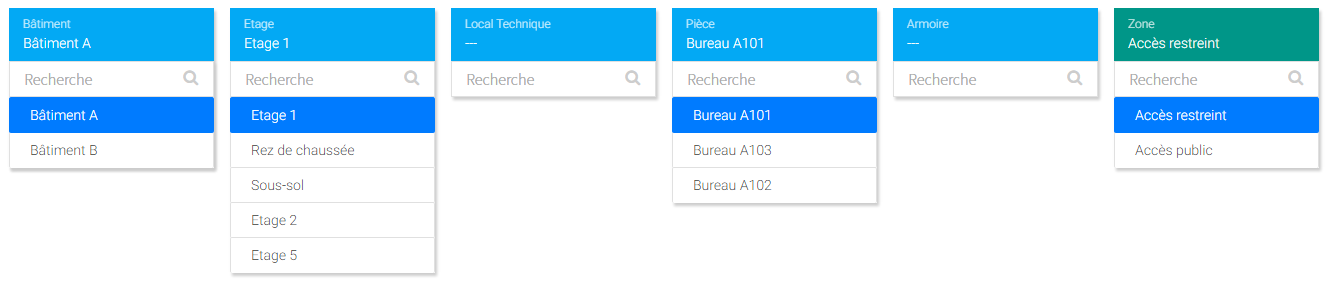
Rule #7: It is possible to select, in addition to an existing selection, a Node from a NodeDefinition with allows relations with the NodeDefinition of the selected Node
This makes it easy to assign its source to an external Node.
In the following example a NodeDefinition "Facade" has been introduced. The NodeDefinition "Floor" has an allows relation with "Facade".
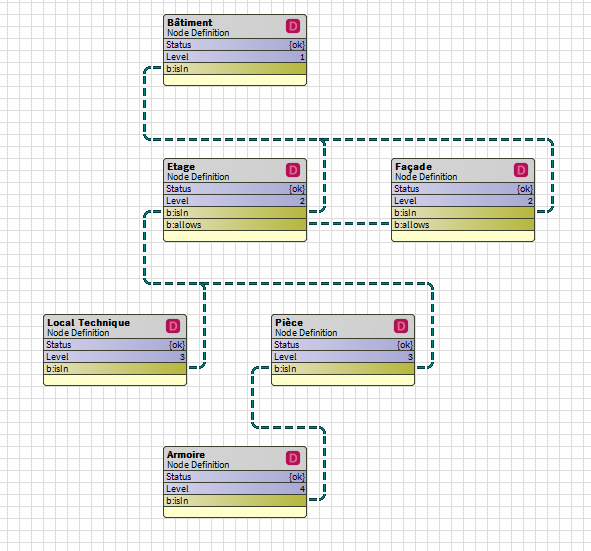
In the AssignmentView, in addition to selecting an office, it is also possible to assign a facade.
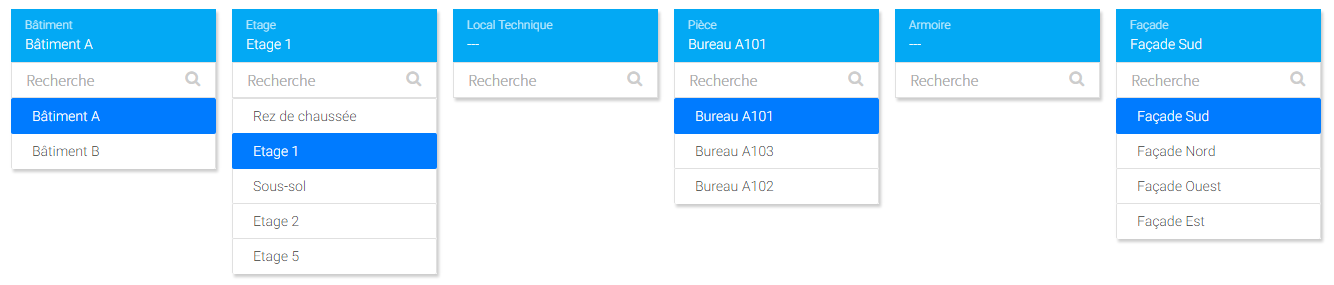
Note that if the Office A101 already had an isln relation with the South facade (via the extra-relations system), the selection would have been automatic.
Rule #8: Selecting multiple siblings if the enableLocalMultiAssignment property in the associated NodeDefinition is true
(Coming Soon)
Rule #9: New global selection if the enableGlobalMultiAssignment property in the associated aspect is true
(Coming soon)