
Description
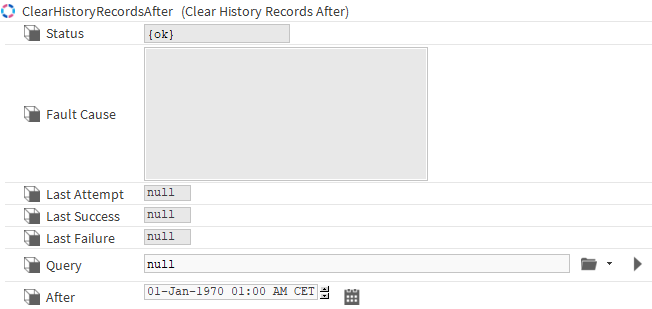
The ClearHistoryRecordsAfter component allows you to target multiple histories and delete their records which timestamp comes after a given date.
Implementation
-
Drag and drop the component anywhere in a station
-
Target the desired histories with the Query slot (can target one history using the History Ord Chooser ex: history:/MyStation/MyComponent, or multiple using a bql ex: history:|bql:select * where name like 'MyComponent*')
-
Select the date after which the records will be removed in the After slot
-
To delete the histories (cannot be reversed), right-click on the component and select Execute
-
Click yes when the popup requests validation
Properties
-
Status: The status of the action, {ok} if the action was successful, {fault} if an error occurred.
-
FaultCause: Provides an indication of the reason if an error happened
-
LastAttempt: The date of the last attempt
-
LastSuccess: Indicates the date of the last successful attempt
-
LastFailure: Indicates the date of the last failure
-
Query: The query which will target the histories
-
After: The date after which the records will be removed
Actions
-
Execute: Deletes the records from the histories