
Summary
SQL Export Block is a terminal dataflow block that exports data using an SqlTSConnector.
Implementation
-
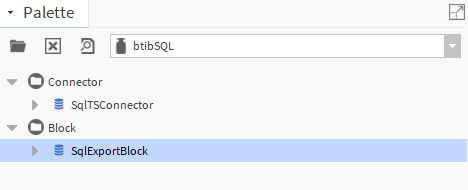
Open the btibSQL palette.
-
Drag and drop the block to your dataflow strategy.

-
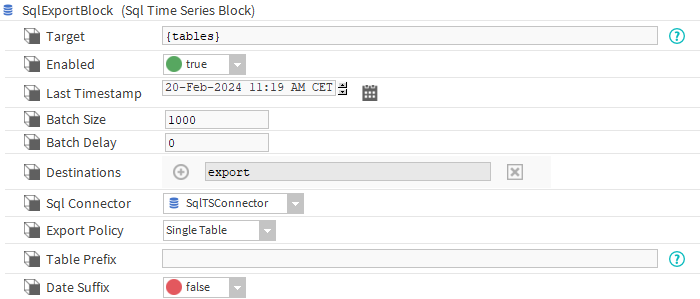
Double-click on the block and fill the parameters.
-
Properties
-
Target : The Next Target not used here.
-
Enabled: Whether the block is enabled or not.
-
Last Timestamp : The last export timestamp. Any record before this timestamp won't be exported.
-
Batch Size: The size of the batches to be processed.
-
Batch Delay : Time to wait between batches.
-
Destinations : Last export destinations.
-
Export Policy:
-
Single Table: export all data and tags into one table, each tags will be represented as column.
-
Multi Table: Tags and value will be exported in separate tables and mapped using relations.
-
-
Sql Connector : The sql connector to use.
-
Table Prefix: The name of the destination table.
-
In the case of a single table export, this will be name of the table
-
In the case of multi table, this will be used as the prefix for the tag and the relation tables.
-
-
Date Suffix: If set to true, adds the today suffix to the destination .
If you switch between the two export policies, the tables won't be removed and their columns won't be changed. You might want to trigger the reset action to have a fresh start
Actions
-
Execute: Executes the block.
-
Reset: Removes the created tables.
If you make operations on multiple tables before exporting, make sure that all your starting tables have the same number of records or use a rollup, otherwise the export won't work