
Summary
This block is used to
-
add asignations
-
add tags
-
add tag groups
to any number of target.
Implementation
-
Drag and drop the block from the palette
-
Link the "execute" action from the "executed" topic of the previous block
-
Define the target using SFormat
-
Define the predicates on your targets
-
Define the "consequences" that will be applied to your matching targets
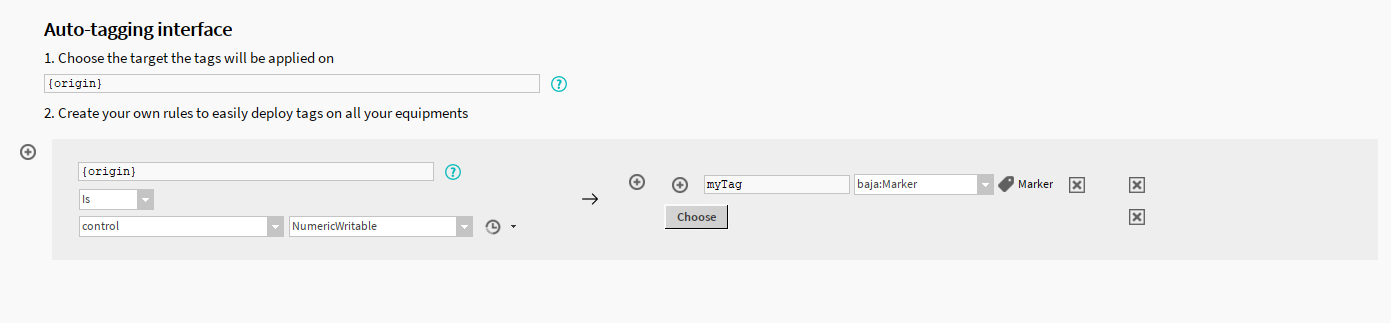
The plus icons allow to add more predicates or consequences.
Example
This block will add a marker tag to all the component which are of the NumericWritable type.
Properties
-
Target(1): SFormat to define the InfoSource(s) to assign
-
Predicate (2 on the left): The condition on which the Consequences will be applied to the targets
-
Consequence (2 on the right): The tags or assignations that will be applied to your targets
Behavior: DO
The assignments or tags are added.
Behavior: UNDO
Does nothing