
Description
The BqlToComponents allows you to transform the result of query (a table) to components and slots. One line of the table is represented as a component and each cell is a a slot in the component.
This is pretty useful when you want to use it in a view or in a logic.
Implementation
-
Add a BqlToComponents in your stations
-
Define your query
-
Define the number of components using the action SetComponentCount It corresponds to the number of rows you are going to have from the query result. 💡 You can use in the query TOP x to restrict the number of results.
-
Define the number of slots per component using the action SetSlotCount. It corresponds to the number of columns you are going to have from the query result.
-
Define the Execute Time
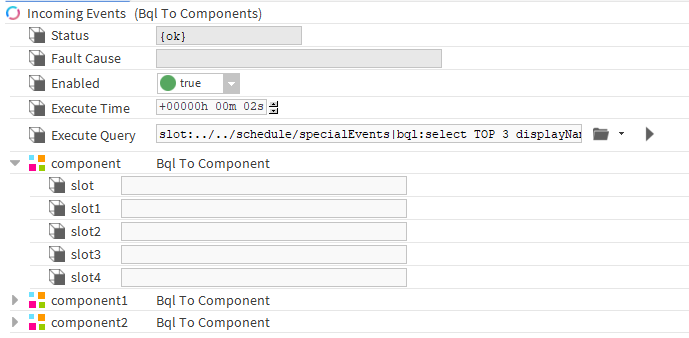
Properties
-
Status: Status of the component
-
FaultCause: Displays the error when the component did not run successfully
-
Enabled: Whether to activate the automatic resolution of the query or not
-
ExecuteTime: The period where the component will resolve the query and update the slots.
-
ExecuteQuery: Bql query to resolve and to transform the result into slots. It can be on the slot, history or alarm space.
💡 The query can begin with "station:|slot:" for a search of the whole station or "slot:" for a relative search
Action
-
Execute: To force the execution. It will resolve the query and transform the result into slots
-
Clean: To clean the components and slots
-
SetComponentCount: To set the number of rows you want to transform into components
-
SetSlotCount: To set the number of columns you want to transform into slots