
Description
The RutService allows configuring access to a RUT modem and monitoring it.
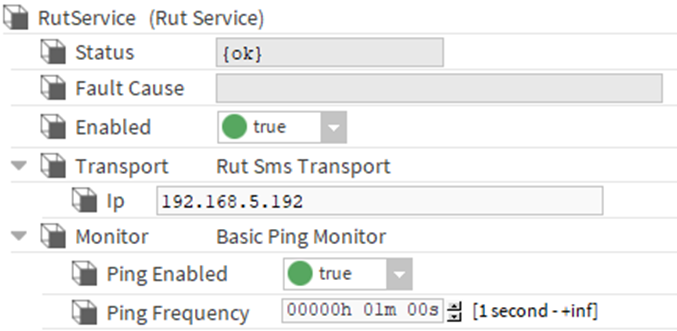
Implementation
-
Drag and drop the RutService into the Services.
-
Specify the server's IP in the Transport > IP field.
Properties
-
Status: The status of the service:
-
{ok} - The component was successfully queried.
-
{Down} - The component did not respond.
-
{Disabled} - Indicates that the 'Enable' property is false, the service is disabled.
-
{Fault} - Indicates an anomaly.
-
-
FaultCause: The reason for the status.
-
Enabled: Enables or disables the service.
-
Transport: Component used to target a RUT modem.
-
IP: Modem's IP address.
-
-
Monitor: Component that can regularly ping a RUT server to check its functionality.
-
Ping Enabled: Enables or disables automatic server ping
-
Ping Frequency: Frequency at which the server will be pinged to check its status.
-
-
Actions
-
Ping: Allows pinging the server.