
Summary
Mqtt Export Block is a terminal dataflow block that exports data using a Mqtt Server.
Implementation
-
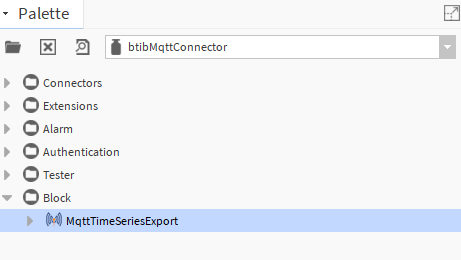
Open the btibMqttConnector palette.
-
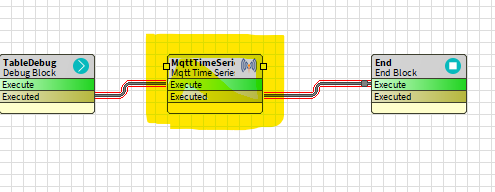
Drag and drop the block to your dataflow strategy.
-
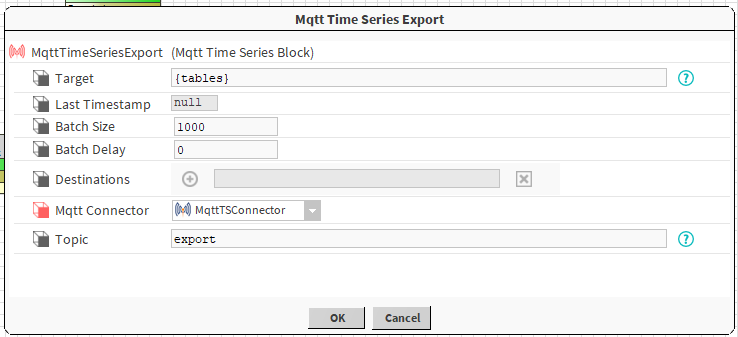
Double click on the block and fill the parameters.
Properties
-
Target : The Next Target not used here.
-
Last Timestamp : The last export timestamp.
-
Batch Size: The size of the batchs to be processed.
-
Batch Delay : Time to wait between batchs.
-
Destinations : Last export destinations.
-
Mqtt Connector : The connector to use.
-
Collection: The destination collection.
-
Topic: The destination topic.
Actions
-
Execute: Executes the block.
If you make operations on multiple tables before exporting, make sure that all your starting tables have the same number of records or use a rollup, otherwise the export won't work