
Description
The MultipleAlarmCounter component is used to count alarms in an optimized way. This component
Implementation
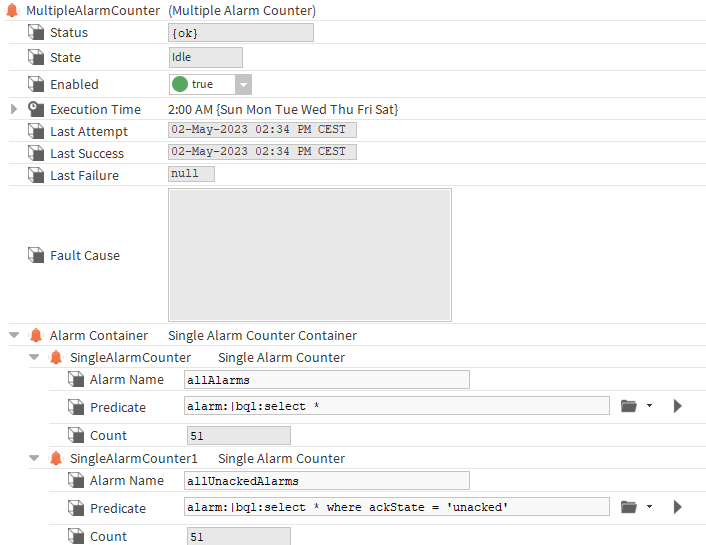
-
Drag and drop the component in your station.
-
Drag and drop SingleAlarmsCounters inside the AlarmContainer.
-
Configure the SingleAlarmsCounters .
-
Trigger the "execute" action in the MultipleAlarmCounter.
Properties
-
Status: The status of the action, {ok} if the action was successful, {fault} if an error occurred.
-
State: The state of the execution, can be idle, pending or inProgress.
-
Enabled: The enabled state of this component.
-
ExecutionTime: The time at which the execute action will be triggered.
-
LastAttempt: The date of the last attempt.
-
LastSuccess: Indicates the date of the last successful attempt.
-
LastFailure: Indicates the date of the last failure.
-
FaultCause: Provides an indication of the reason if an error happened.
-
AlarmContainer: The SingleAlarmsCounters container.
Action
-
Execute: Counts the alarms in the children SingleAlarmsCounters of the AlarmContainer.