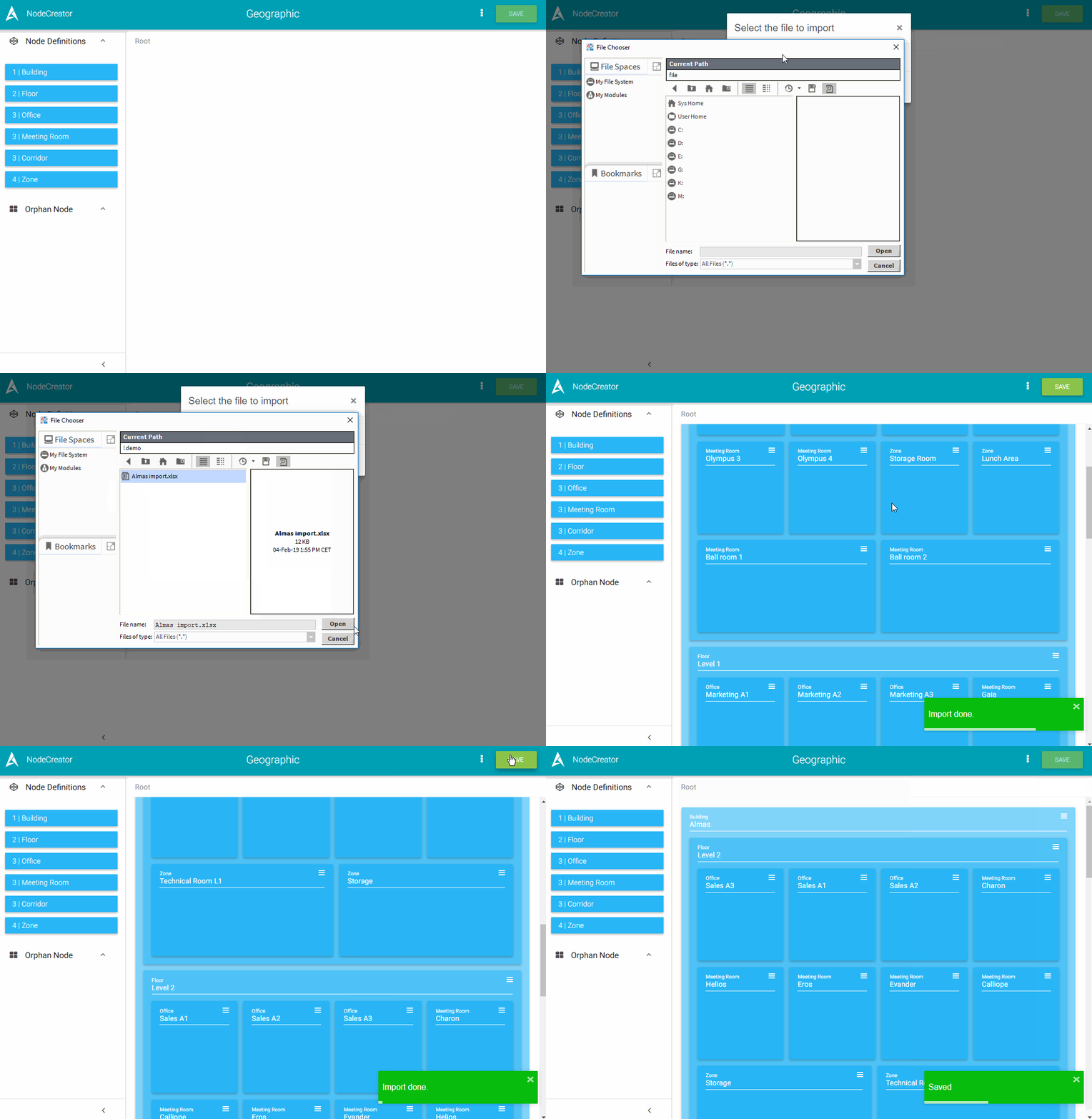
If you have dozen or hundred of Nodes to create, you better use the import feature which allows you to define in an Excel file all the Nodes to create.
Excel format
The file must follows some rules:
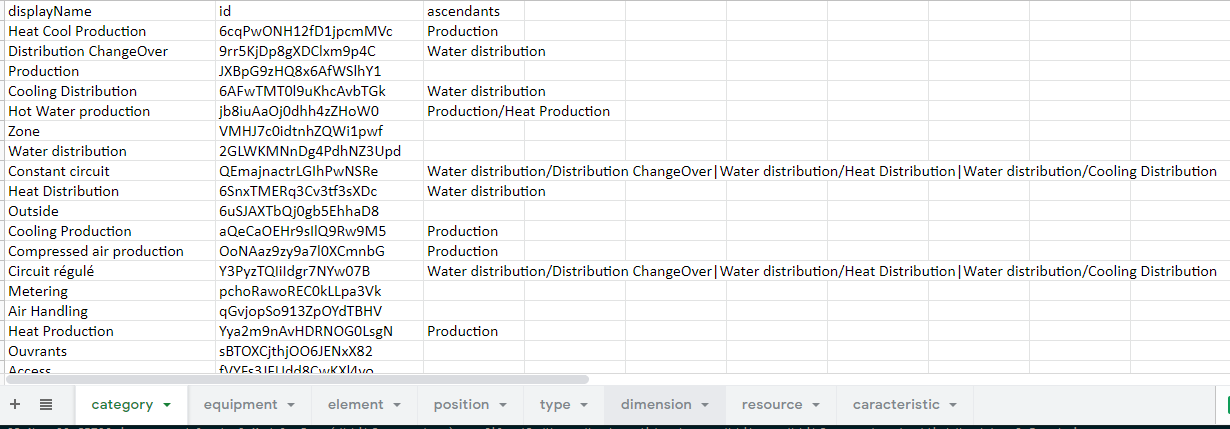
Each sheet will represent a NodeDefinition and its nodes. The name of the sheet must be the name of the NodeDefinition.
-
The first row:
-
It must contain a column "displayName","ascendants" and "id"
-
It must be followed by the NodeTags or the NodeRelations contained in the current NodeDefinition (see the example below)
-
-
Each row defines an ancestry of nodes:
-
Each node is defined by its displayName (top Nodes should be unique).
-
Each node should define its ascendants from the direct parent to the top node separated by "/" (Root Node/Parent Node). If the node has plural parents, separate the paths with "|". The path should have "path:" prefix at the beginnig.
-
Each NodeTag or NodeRelation must be in the column that defined it
-
Existing nodes in the station will not be recreated, only upated
-
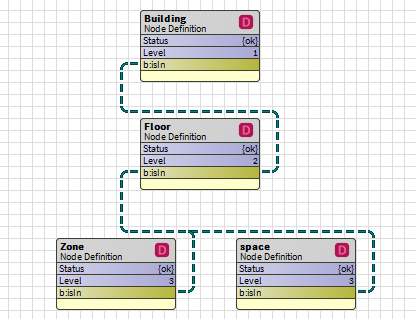
Example with building at level 1, floor at level 2 and office, meetingRoom and zone at level3:
Nodes:
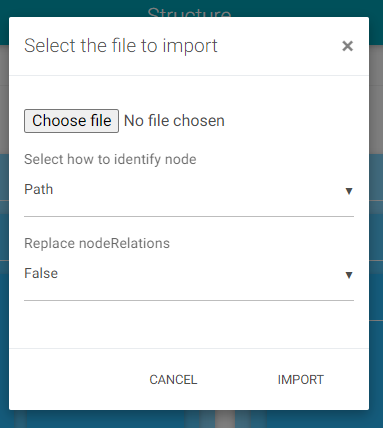
When importing a file, there is two way to identify existing nodes in the station:
-
by the path (default choice), so it will search the node with the same display name and the same ascendants
-
by the id, so it will search the node that have the same id property
NodeRelations:
By default, the import will only add new NodeRelations to existing node, without deleting the old one. If you want to keep only the NodeRelations from the file, you can change the option Replace nodeRelations to true.
Formats:
If a path is incomplete (for example the building isn't defined), orphan Nodes will be created. Everything else obeys the NodeCreator creation rules.
AddOns values:
|
type |
description |
example |
|---|---|---|
|
String nodeTag |
The value without quotation marks |
19, avenue de la division Leclerc Antony |
|
Marker nodeTag |
No values expected |
|
|
Double nodeTag |
The value separated with a dot |
1.5 |
|
Integer nodeTag |
The value |
5 |
|
Boolean nodeTag |
true or false |
true |
|
Enum nodeTag |
The value of the enum in string |
MyEnumValue
|
|
Source Selection nodeTag |
The value of the selection in string |
d5pa|d5pa;he2p |
|
NodeRelations |
The different values separated with " | "
There is 3 type of encoding for NodeRelations path, id, slotPath. If the field is :
For NodeRelations that has a Node as an endpoint, please consider using the id notation. |
slotPath:slot:/Drivers/BacnetNetwork/AHU01/points/air$20temp/InfoSource | slotPath:slot:/Drivers/BacnetNetwork/AHU02/points/air$20temp/InfoSource
|
|
Id (define with b:id) |
This value is used to enforced the value of the id in the created node.
|
zdf324fs |
When exporting your model, the NodeCreator will add a new sheet named ~Structure.
Since the name of a sheet cannot exceed 31 characters, the NodeCreator will modify the NodeDefinition name, and keep the matching values of the sheet name and the NodeDefiniton name in ~Structure sheet.
If you don't have this sheet in your file, the import of the model steel works like before.
Accepted file extensions:
-
.xslx
-
.xls
-
.csv
Exporting model file
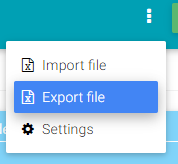
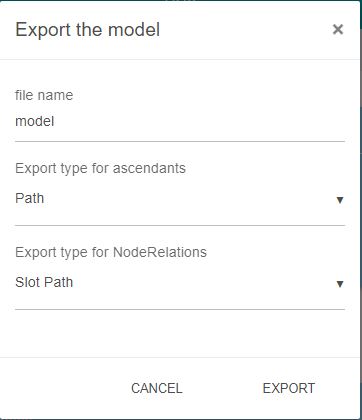
The NodeCreator allows you to export your model from an xlsx file.
You can choose the name of the exported file.
You can also choose the format for the ascendants (see the Excel Format section) and the format for NodeRelation (see NodeRelations in the AddOns section)