
It is common to want to associate a Node to ascendants who are not direct parents. The allows relation permits this between two NodeDefinitions.
The NodeCreator detects this relation and offers a special menu called "Extra Relations" in the right panel in the Node created from the NodeDefinition descendant. This menu allows the selection of other ascendants.
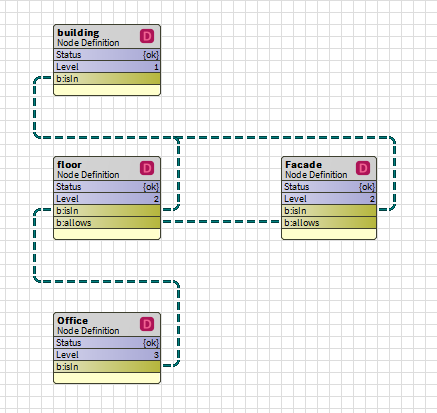
A recurrent example is that of the offices contained in floors but to which you also want to associate a frontage (or a zone etc.). In the example below, an allows relation was created between the NodeDefinitions Floor and Facade. This means that for any office contained in a floor, there is the possibility (but not obligation) to be connected to a facade.
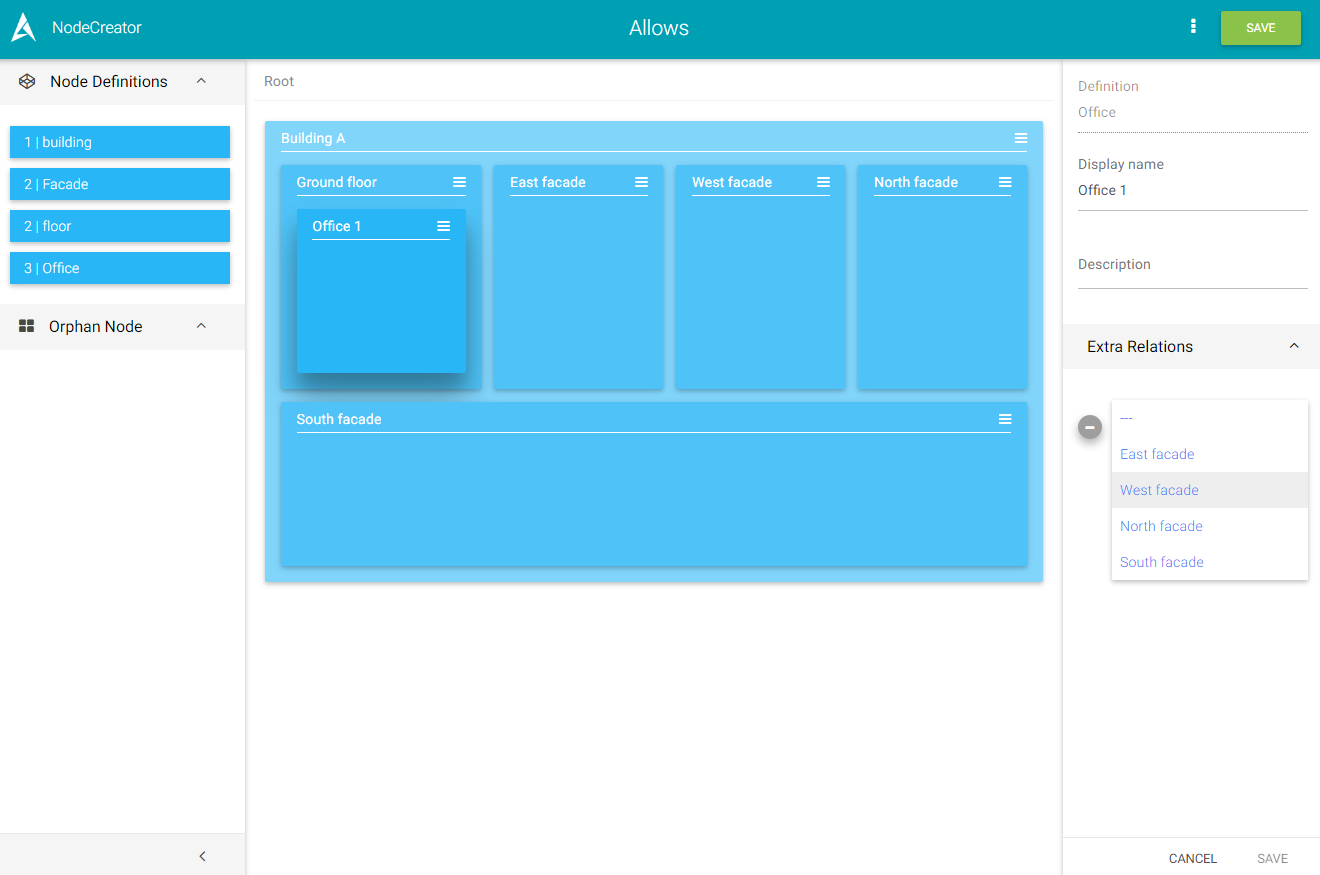
In the example below, Ground floor 1 was created in Building A. Four facades were also created. Office 1 has been added to Ground floor. When Office 1 is edited (by clicking on it), an Extra Relations menu appears and offers the four facades created.
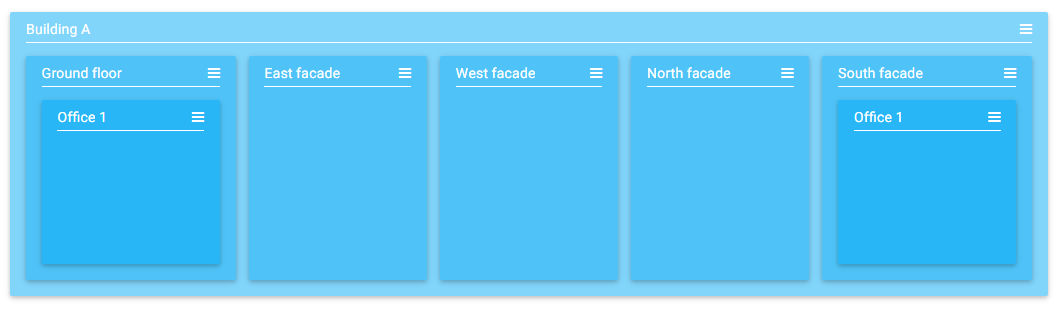
If the south facade is selected, office 1 is automatically displayed in the south facade as well as in Ground floor Of course, if it is selected, its phantom is automatically selected at the same time.
Note that the Extra Relations menu only appears when it is the node in its direct parent that is displayed.
Office 1 of the South Facade in our case does not show the Extra Relations menu