
Used as
-
Card
Summary
Circular gauge with the live value for a NumericPoint or NumericWritable
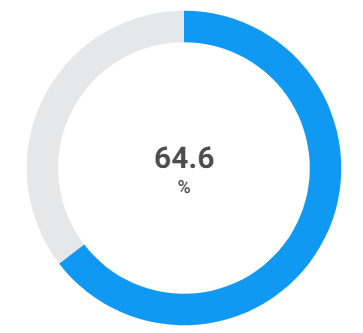
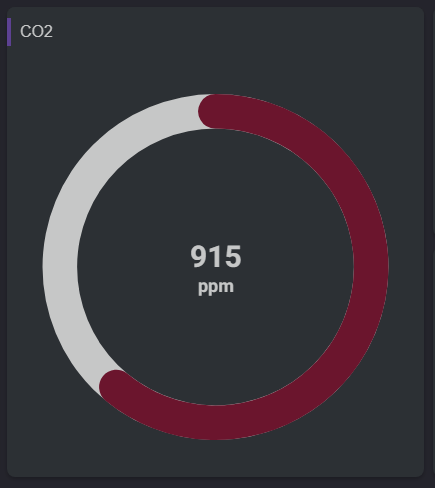
Implementation
There are two ways to add it to the FlexView:
-
Add a card from the settings bar, and choose in the list SimpleGauge
-
Or drag&drop a NumericPoint or NumericWritable from the palette
Set the personalized properties.
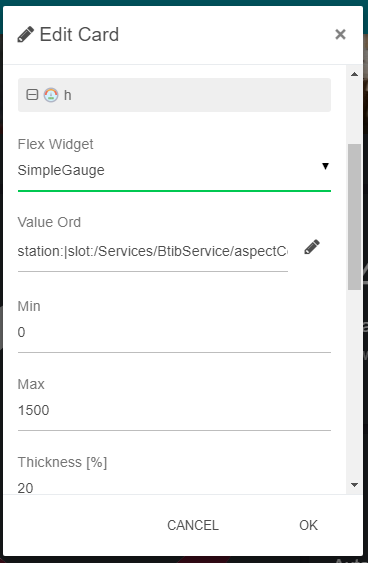
Flex Widget Properties
-
ValueOrd: The Ord of a control:NumericPoint. It can be relativized with slot: or slot:../../myPoint etc.
SFormat is supported.
-
Min: Min value of the gauge. This property accepts an sFormat.
-
Max: Max value of the gauge. This property accepts an sFormat.
-
Thickness: Thickness of the gauge.
-
FontSize: The size of the output value.
-
PaneColor: Color of the base of the gauge.
-
GaugeColor: Color of the gauge.
-
Rounded: Whether to draw rounded edges on the gauge.