
Used as
-
Card
Summary
Display an EPC graph (EER or EIR) for a selection of histories over a given period. It takes into consideration whether it's gas, elec or fuel consumption.
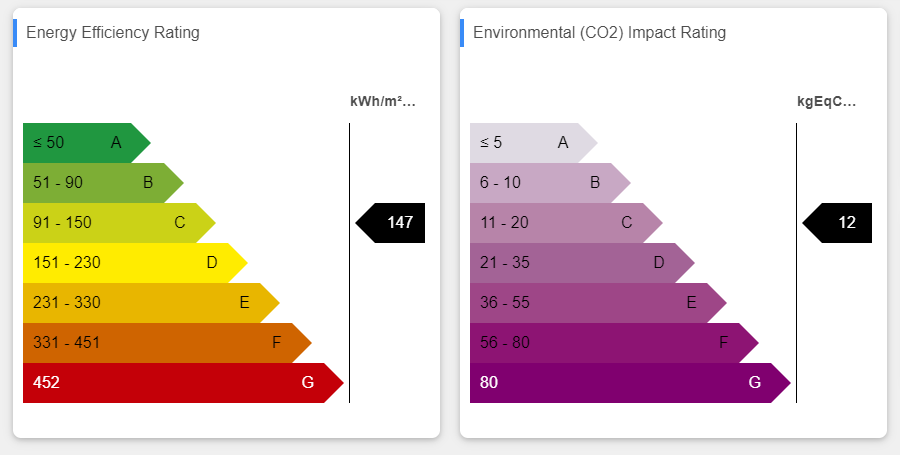
Implementation
-
Add a card from the settings bar, and choose in the list EPC
-
Choose a selection of histories (Histories field)
-
Choose a period (Period field)
-
Fill the tags fields to distinguish between the different sources of histories (electricity, gas and fuel).
-
You can make it slave of another card. See Master Slave behavior between cards to have more information on how to use it with other cards
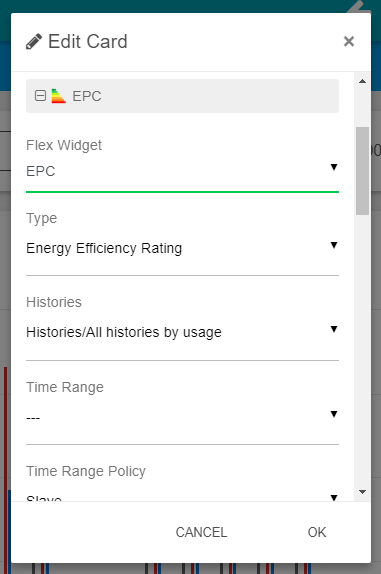
Flex Widget Properties
-
Type: The type of graph to display: EER (Energy Efficiency Rating) or EIR (Environmental (C02) Impact Rating).
-
HistoryDefaultSelection: A list of queries retrieved from the Selection folder in the BtibService. The selected query needs to point histories (history:).
-
TimeRangeDefaultSelection: The time range to apply to the retrieved histories.
-
TimeRangeSelectionPolicy: Stand Alone: The widget takes the time range from the propertiesSlave: The time range is given by another widget like a period selector.
-
Delta: whether to compute the relative difference between each value
-
Auto: Will compute the difference according to the tag "delta" present on the history. Apply false if the tag doesn't exist.
-
True: Will always compute the difference
-
False: Will never compute the difference
-
-
Area: The surface area used to compute the ratio. You can use SFormat to retrieve the area in a slot in the station.
-
Elec Tag: The tag associated with electricity histories.
-
Gas Tag: The tag associated with gas histories.
-
Fuel Tag: The tag associated with fuel histories.
-
Elec Coef: Coefficient to apply on electricity consumption (default 2.58).
-
CO2ElecCoef: (EIR graph) Coefficient to apply on electricity consumption percentage ratio (default 0.023).
-
CO2GasCoef: (EIR graph) Coefficient to apply on gas consumption percentage ratio (default 0.055).
-
CO2FuelCoef: (EIR graph) Coefficient to apply on fuel consumption percentage ratio (default 0.074).
-
LegendTop: The legend to display on the top of the graph.
(information) SFormat is supported. -
LegendBottom: The legend to display on the bottom of the graph.
(information) SFormat is supported. -
ValueTitle: The title for the value column.
(information) SFormat is supported. -
ShowValueWithScaleName: Display the value with the scale name instead of a number.
-
ShowValueWithScaleColor: Display the value with colors associated with the scale.