
Used as
-
Card
Summary
This Card is used to control the period of other cards (ChartViewer, EPC...). This card allows you to:
-
Select an initial period (common to all the page)
-
Select a personalized period with custom dates
-
Navigate through the period: nextMonth, prevDay, zoom-in, zoom-out etc.

Implementation
-
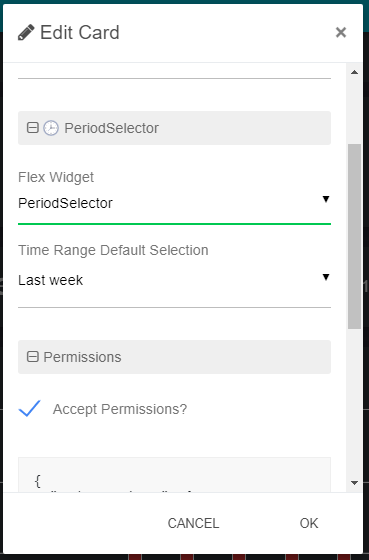
Add the card from the settings bar, and choose in the list PeriodSelector
-
Select the default period
-
Don't forget to accept the permissions if you want to allow the card to control other cards
-
See Master Slave behavior between cards to have more information on how to use it with other cards
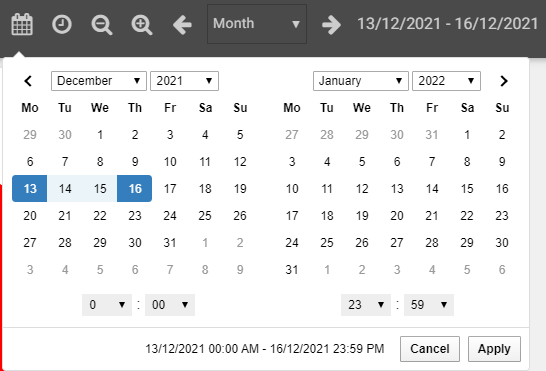
To select a custom date range, click the calendar icon and select a range. Be aware of time management and be sure to select the hour and minute you want
To compare periods click on 
Please note that the period could be used in other cards like below.
To use it with :
-
with an EnhancedBoundTable card, you can add {timeRange} to the query.
-
with a Markdown card, you can add {timeRange} to the content.
Flex Widget Properties
-
Time Range Default Selection: The timerange value to override the time range in slaves ChartViewer cards