
Summary
This block sets flags on a slot (hidden, readonly, metadata etc.)
Implementation
-
-
Drag and drop the block from the palette
-
Link the "execute" action from the "executed" topic of the previous block
-
Example
Add the flag "readonly" and "hidden" to the origin of the strategy on the "config" slot
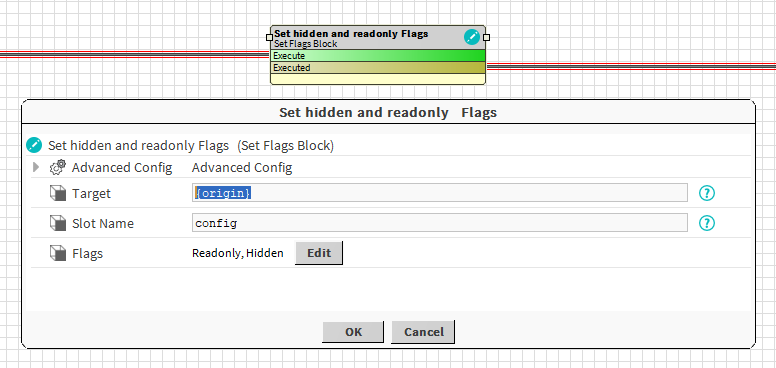
Properties
-
Target: to define the component which contains the slot whose flags have to be changed. Ex: the origin of the event: a building
-
SlotName: to define the name of the slot whose flags need to be applied to. Ex: the config slot of the building
-
Flags: Selection of the flags to apply
Advanced Config
-
Do Policy : Defines the policy to apply when adding flags
-
Add value: the selected flags will be added to existing ones
-
Set Value: the selected flags will be set in place of the existing ones
-
-
Undo Policy: Defines the policy to apply on UNDO
-
No Value: nothing is changed. Flags are let as they are
-
Set Value: A new value is applied (Undo Value)
-
Remove Value: The selected flags are removed (others are kept)
-
-
Undo Value: The flags to apply when Undo Policy is set to "Set Value"